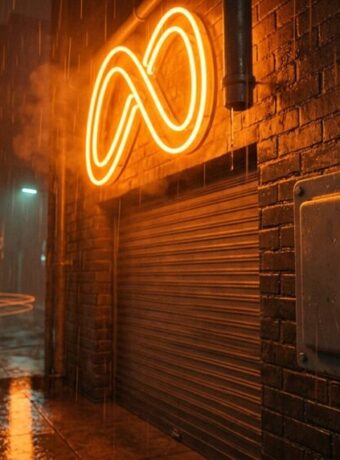
Bloom is not one of VSCO’s AI tools. It is a film-style light effect in VSCO’s regular photo editor that spreads a soft, neutral glow out of the bright parts of a photo, set with three sliders: Strength, Size and Range (VSCO’s Bloom page). VSCO’s AI tools live in a separate part of its iPhone app called AI Lab, which as of September 30, 2026 lists nine tools: Prompt, Remove, Upscale, Simplify, Restore, Dehaze, Denoise, Hairstyle and Isolate (VSCO’s AI Lab page). Both sit behind the same paywall: VSCO’s plan comparison marks Bloom, Halation and every AI Lab tool as included in the Pro and One memberships, and not in the free Starter plan or the $29.99-a-year Plus plan (VSCO plans and pricing).
That split matters for a small studio deciding what to pay for. The glow tools change how a photo looks. The AI Lab tools change how long the cleanup takes. Only the second kind changes the math on a client deadline.
What VSCO’s Bloom effect actually does
VSCO describes Bloom as a tool that expands and softens light into a haze, aimed at sunlit windows, golden hour portraits and night scenes with streetlights, neon or traffic signals. Strength sets how bright the glow is, Size sets how far it spreads, and Range shifts which tones glow, from the highlights down toward the shadows. You open it from Edit Image, then the slider icon in the bottom bar. VSCO calls the effect non-destructive and says it does not reduce the photo’s resolution, and it lets you save a Bloom setting, together with filters and other effects, as a reusable Recipe (VSCO Bloom feature page).
Halation is its sibling. It adds the red-orange halo that forms around highlights on motion picture film, with Strength, Size, Range and Tint sliders (VSCO Halation feature page). VSCO’s own comparison guide, dated December 31, 2025, draws the line simply: Halation is a warm, colored halo, Bloom is a white, neutral glow (VSCO: Halation vs Bloom vs Lens Flare).
There is one free route inside VSCO. Both effects can be applied live while shooting in the separate VSCO Capture camera app, and VSCO’s plan table lists those live Capture effects (Bloom, Halation and Grain) on every tier, including free Starter. In the main photo editor, Bloom and Halation are Pro and One features (VSCO plans and pricing).
Is VSCO’s Bloom worth paying for?
We have not run our own side-by-side test, so this compares what each company documents, not output quality. The fact a buyer most needs: Google’s free Snapseed app now has its own Bloom and Halation tools. Its App Store listing describes Bloom as expanding light sources into a gentle glow with Strength, Size and Range controls, and Halation as a red-orange fringe set with Threshold and Strength. The app is listed as free (Snapseed on the App Store).
Editor’s view: if a glow effect is the only reason you are looking at VSCO, try Snapseed’s version or the free live effect in VSCO Capture first, because neither costs anything and both use the same kind of controls. VSCO’s Bloom earns its place when you are already paying for Pro for the presets and AI Lab, and want one saved look, glow included, applied the same way across a whole shoot.
The nine AI Lab tools, sorted by the job they do
AI Lab runs only in the VSCO app for iPhone. VSCO says every tool works at full resolution, and that Prompt applies its edits to a new version of the photo so you can always go back to the original (VSCO AI Lab page). Here is what each tool is for, in VSCO’s own descriptions:
- Cleaning a frame before delivery: Remove paints out power lines, stray objects or blemishes and fills the space. Simplify reduces background crowds and clutter in one click, aimed at city, travel and event shots.
- Rescuing bad conditions: Dehaze brings back contrast and color depth in flat, overcast or misty outdoor images. Denoise removes grain, dust, scratches and high-ISO artifacts from low-light shots and scanned film.
- Bigger output: Upscale increases resolution up to 4 times, for large prints, client deliverables and tighter crops.
- Old photos: Restore brightens faded color, sharpens softened detail and reduces scratches and dust, for family archives and scanned film.
- Portrait and product work: Hairstyle reshapes hair and cleans up flyaways. Isolate places the subject on a solid background, aimed at product shots, food photography and e-commerce.
- Anything you can put into words: Prompt lets you type the change you want, such as softening harsh midday light, warming skin tones or deepening shadows.
How AI Lab got to nine tools
- October 15, 2025: VSCO launched AI Lab with Remove, and Upscale marked as coming soon, for Pro members on iOS (VSCO announcement on PR Newswire). TechCrunch reported the features run on Black Forest Labs’ FLUX.1 Kontext model, that Pro then cost $12.99 a month or $60 a year, and that VSCO set no limit on AI Lab use (TechCrunch).
- January 16, 2026: VSCO added Prompt, built on FLUX.1 Kontext plus what it calls its own “proprietary, purpose-built technology” (9to5Mac).
- March 26, 2026: VSCO added five tools, Dehaze, Denoise, Hairstyle, Restore and Simplify, bringing AI Lab to eight (9to5Mac).
- As of September 30, 2026: the AI Lab page lists a ninth tool, Isolate. VSCO’s page does not date its arrival (VSCO AI Lab page).
The math for a small team
VSCO’s current prices, from its plans page: Pro costs $59.99 billed annually (shown as $4.99 a month) or $12.99 month to month, with a free 7-day trial, and includes unlimited AI Lab. VSCO notes Pro is available on iOS and desktop only. VSCO One costs $499.99 a year and adds the VSCO Workspace tools for booking clients and running a studio. Plus, at $29.99 a year or $7.99 a month, includes the 200+ presets and video editing but not AI Lab.
Two alternatives cover the same ground in different ways:
- Adobe Lightroom: the mobile app is free on iOS and Android, and paid plans start at $11.99 a month on an annual plan billed monthly, with 250 generative credits a month on that plan (Adobe Lightroom plans). It is the option for a team that edits on Android, where AI Lab is not available.
- Snapseed: free, with a Healing tool that removes unwanted elements, such as a stranger in a group photo, plus its Bloom and Halation tools (Snapseed on the App Store). Its listing names no equivalent of VSCO’s prompt editing or 4 times upscaling.
The break-even arithmetic is short, and this is a hypothetical, not a measured result: a freelancer who bills $50 an hour needs AI Lab to save a little over one hour of cleanup across an entire year to cover a $59.99 Pro plan. Whether it does that on your photos is exactly what the 7-day trial is for. Run it on one real client job, not on test shots, and judge the tool by one number, such as hours from shoot to delivered gallery. Our guide to which AI software is worth paying for walks through that kind of test.
The appetite is there. VSCO told 9to5Mac that in a survey it commissioned of 400 professional and aspiring photographers in North America, 83% said they already use AI in their work, and 55% said they see AI mainly as a “production assistant” for editing, retouching, culling and other repetitive post-production work (9to5Mac). Those are VSCO’s preliminary figures from a survey it paid for, so treat them as a direction, not a benchmark.
That “assistant” framing is also how the tools are pitched. VSCO’s AI Lab page says AI “should support, not replace a photographer’s vision” (VSCO AI Lab page). For a two-person studio, the realistic gain is the owner or assistant spending less of the evening masking power lines and more of it on shoots and clients, with a person still making the final call on every frame. Keeping the original untouched while the AI drafts a version is the same rule of thumb our practical guide to AI for small business recommends: AI drafts, a person approves.
Which VSCO plan fits which team
If all you want is a glow, start free, with Snapseed or the live effects in VSCO Capture. If you want VSCO’s presets on your phone and no AI, Plus covers that for $29.99 a year, without Bloom or Halation in the editor. If cleanup time is what stands between your shoots and your invoices, and your team edits on iPhones, a Pro trial on a live client job is the cheapest honest test available.
Questions about VSCO AI Lab and Bloom
Is Bloom an AI tool in VSCO?
No. Bloom is a film-style light effect in VSCO’s photo editor that adds a soft, neutral glow to bright areas, controlled with Strength, Size and Range sliders. VSCO’s AI tools are a separate set called AI Lab. (Source: VSCO Bloom feature page)
Which VSCO plan includes AI Lab?
AI Lab is included, with unlimited use, in VSCO Pro ($59.99 a year or $12.99 a month) and VSCO One ($499.99 a year). It is not in the free Starter plan or Plus, and it runs only in the VSCO app for iPhone. (Sources: VSCO plans and pricing, VSCO AI Lab page)
What is the difference between Bloom and Halation in VSCO?
Bloom produces a white, neutral glow that diffuses light outward. Halation adds a warm, red or orange halo around bright highlights, imitating an effect of analog film. (Source: VSCO: Halation vs Bloom vs Lens Flare)
Correction, October 1, 2026: an earlier version of this article described Bloom and Halation as AI Lab tools and listed them among five tools added to AI Lab. VSCO’s five March 2026 additions were Dehaze, Denoise, Hairstyle, Restore and Simplify; Bloom and Halation are film effects in the standard editor.