The short version: Google released Nano Banana 2.1 on October 6, and the most useful thing we can tell you about it is what happened when we used it. We asked it for a flyer and a six-line price list, two renders each, and set the same job for Nano Banana Pro, Google’s premium image model. All eight images got every word, every price and the phone number right. The new model costs about a third as much per image as Pro, and the one surprise was something we never asked it to draw.
That matters because getting the words right has been the weak spot of AI images for small business. A picture that misspells your own business name, or turns $89 into $98, is worse than no picture at all. On our two tests, that problem did not show up once, on either model.
What is Nano Banana 2.1?
Nano Banana 2.1 is Google’s new image generation and editing model, the successor to Nano Banana 2 from earlier this year. Its developer name is gemini-nano-banana-2.1, and Google lists its release date as October 6, 2026 on its model lifecycle page. Google says it is rolling out in the Gemini app, AI Mode in Google Search, Google Ads, AI Studio, Flow and Stitch, as The Decoder reported from the announcement, so most owners will meet it inside a tool they already use rather than by switching anything on.
Google’s image generation documentation, read October 9, lists three things worth knowing. It makes 1K, 2K and 4K images. It accepts up to 14 reference images, so you can hand it your real logo and product photos. And every image it makes carries a SynthID watermark, an invisible marker that identifies the picture as AI-generated.
Nano Banana 2.1 test: a flyer and a price list
We ran the test on October 9, 2026, at 2K and default settings, through the image service we use for this site’s own pictures, which offers both models side by side. Two prompts, each run twice on each model, eight images in total. The business names and the 555 phone number are made up for the test.
The flyer asked for a heating and air company called Valley Air & Heat, a “Spring Tune-Up $89” offer, three bullet points and a phone number. The price list asked for a laminated sheet on a garage wall with a title, six services, six prices including $79.95 and $119.50, a “$0.00 with purchase” line and an opening-hours footer. That is 20 separate pieces of text per pair of images, the kind of thing an owner actually needs on a counter or a van window.
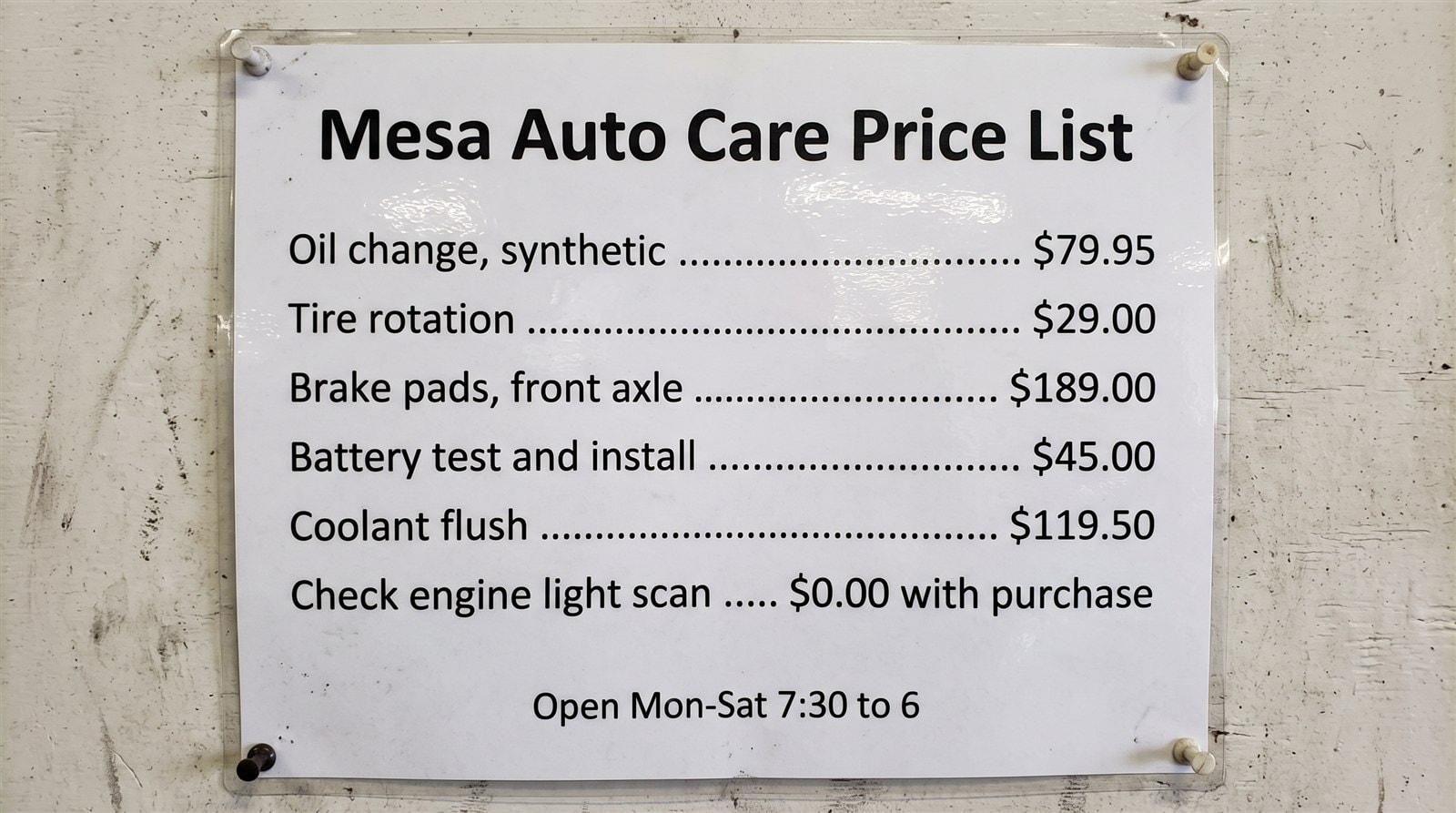
Here is the scorecard. Nano Banana 2.1 got 40 of 40 text items right across its four images. The model sold as Nano Banana Pro also got 40 of 40. No misspellings, no swapped digits, no half-formed letters. The cheaper model matched the premium one on every word and every price.
The differences were elsewhere. One of the Pro flyers had a bleached smear along the right edge of the frame. One of the 2.1 price lists set the title in capital letters, which we had not asked for. Those are small. The bigger one is next.
The logo nobody asked for
Both Nano Banana 2.1 flyers put a flame-and-snowflake emblem beside the business name. The prompt never mentioned a logo. Neither Pro flyer added one. Two renders is a small sample, so read this as something to watch for, not a rule about the model.

For a real business this matters more than it looks. An invented emblem printed on 500 flyers becomes, in your customers’ eyes, your logo, and you have no idea whether it resembles somebody else’s. The fix is easy and it uses a feature Google built for exactly this: give the model your real logo as a reference image, or write “no logo” in the request. Then check the emblem area before anything goes to print.
How much does Nano Banana 2.1 cost?
Most owners will use it inside the Gemini app or Google Ads and never see a per-image price. The price still matters, because it is what the design and marketing apps you rent pay Google underneath. Here are the per-image rates from Google’s Gemini API pricing page, read October 9, 2026, at standard (not batch) rates.
| Model | 1K image | 2K image | 4K image |
|---|---|---|---|
| Nano Banana 2.1 | $0.0336 | $0.0504 | $0.113 |
| Nano Banana 2 | $0.067 | $0.101 | $0.151 |
| Nano Banana Pro | $0.134 | $0.134 | $0.24 |
Two things stand out. At 2K, the size we tested, Pro costs about 2.7 times as much as 2.1 for an image that, on our two jobs, came out just as correct. And at 4K the new model is not half price. Launch coverage described the cut as half price at every size, and The Decoder’s report put 4K at 7.56 cents. Google’s own page says $0.113, because a 4K image from 2.1 counts as 3,780 billing tokens, where a 4K image from Nano Banana 2 worked out to about 2,520. That works out to 25 percent cheaper at 4K, not 50.
Put in a month: a business making 60 marketing images at 2K would run up about $3.02 on Nano Banana 2.1 and $8.04 on Pro. Either way it is pocket change. The real cost of AI images for a small business was never the pennies per picture. It was the time spent re-running a flyer because the price came out wrong, and checking every line by eye before trusting it.
What should a small business do with it?
Use it for the jobs where you were still paying someone or doing it by hand: the seasonal offer flyer, the price board, the social post with a date and a phone number on it. If you already make images in the Gemini app or build ads in Google Ads, you will get it without changing anything. If you make images in a separate design app such as Canva or Adobe Express, check its help pages for which image model it uses before assuming you have the new one.
Three habits keep it safe:
- Type your facts exactly once, and copy them in. The model got our prices right because the prompt had them right. It will print a typo of yours just as faithfully.
- Give it your real logo, or tell it not to draw one. Otherwise you may get an emblem you never designed.
- Read the finished image like a proofreader. Eight clean renders is encouraging, not a guarantee. AI drafts, you approve, and that still applies to pictures.
For where image tools fit alongside the rest of your marketing, our practical guide to AI for small business covers it function by function. We have also looked at Google Pics, the design tool inside Docs and Slides, and at Google’s dollar-a-clip video model, if moving pictures are next on your list.
Frequently Asked Questions
Is Nano Banana 2.1 good at putting text on images?
In our October 9 test it was. Across a flyer and a six-line price list, four Nano Banana 2.1 images got all 40 text items right, including prices such as $79.95 and $119.50 and a phone number. Nano Banana Pro did the same on the same prompts. It is a small test, so still proofread anything before you print it.
How much does Nano Banana 2.1 cost per image?
Google’s Gemini API pricing page, read October 9, 2026, lists $0.0336 for a 1K image, $0.0504 for 2K and $0.113 for 4K at standard rates, with batch processing at half those prices. Inside the Gemini app or Google Ads you will not see a per-image charge.
Is Nano Banana 2.1 better than Nano Banana Pro?
Not across the board. On our flyer and price-list test both models got every word and price right, and 2.1 costs about a third as much at 2K. Pro did not add an emblem we had not asked for, while both of our 2.1 flyers did. For everyday marketing images with text, 2.1 is the sensible default; keep Pro for jobs where you have seen it do better.
Can people tell an image was made by Nano Banana 2.1?
Google’s documentation says every image the model generates carries a SynthID watermark, an invisible marker that tools can use to identify it as AI-generated. Nothing visible is added to the picture itself, so the watermark does not change how your flyer looks.
What is the first thing you would hand to an image model now that it spells your prices right: the flyer, the price board, or the social posts?